OY.Surf vs Granola
Granola is an AI notepad that listens to your meetings and writes up clean notes via the cloud. OY.Surf is the local-first, on-device, free alternative — here's the honest comparison.
TL;DR
- Granola is an AI notepad that listens to your meetings and writes up clean notes via the cloud.
- OY.Surf takes a local-first path: Flow dictates and cleans on-device, and notes live attached to your files.
- Granola is purpose-built for meetings; OY.Surf is a visual workbench whose notes and dictation stay on your Mac.
Granola is excellent at turning meetings into tidy notes using cloud AI. OY.Surf isn't a meeting tool — but if what you want is private, on-device voice notes and Markdown notes against your work, Flow transcribes and cleans locally, nothing uploaded.
Quick comparison
| AI meeting notes | OY.Surf | Granola |
|---|---|---|
| Voice-to-text notes | ✓ | ✓ |
| Runs on-device / private | ✓ | — |
| Meeting recording + summaries | — | ✓ |
| Notes attached to your files | ✓ | ~ |
| Visual library + AI gen / edit | ✓ | — |
| Price | Free, included | Subscription |
What is Granola?
Granola is an AI meeting-notes app: it listens to your calls, then produces structured, cleaned-up summaries and action items using cloud models. It's designed around the meeting workflow — calendar, transcript, summary — and does it smoothly.
What is OY.Surf?
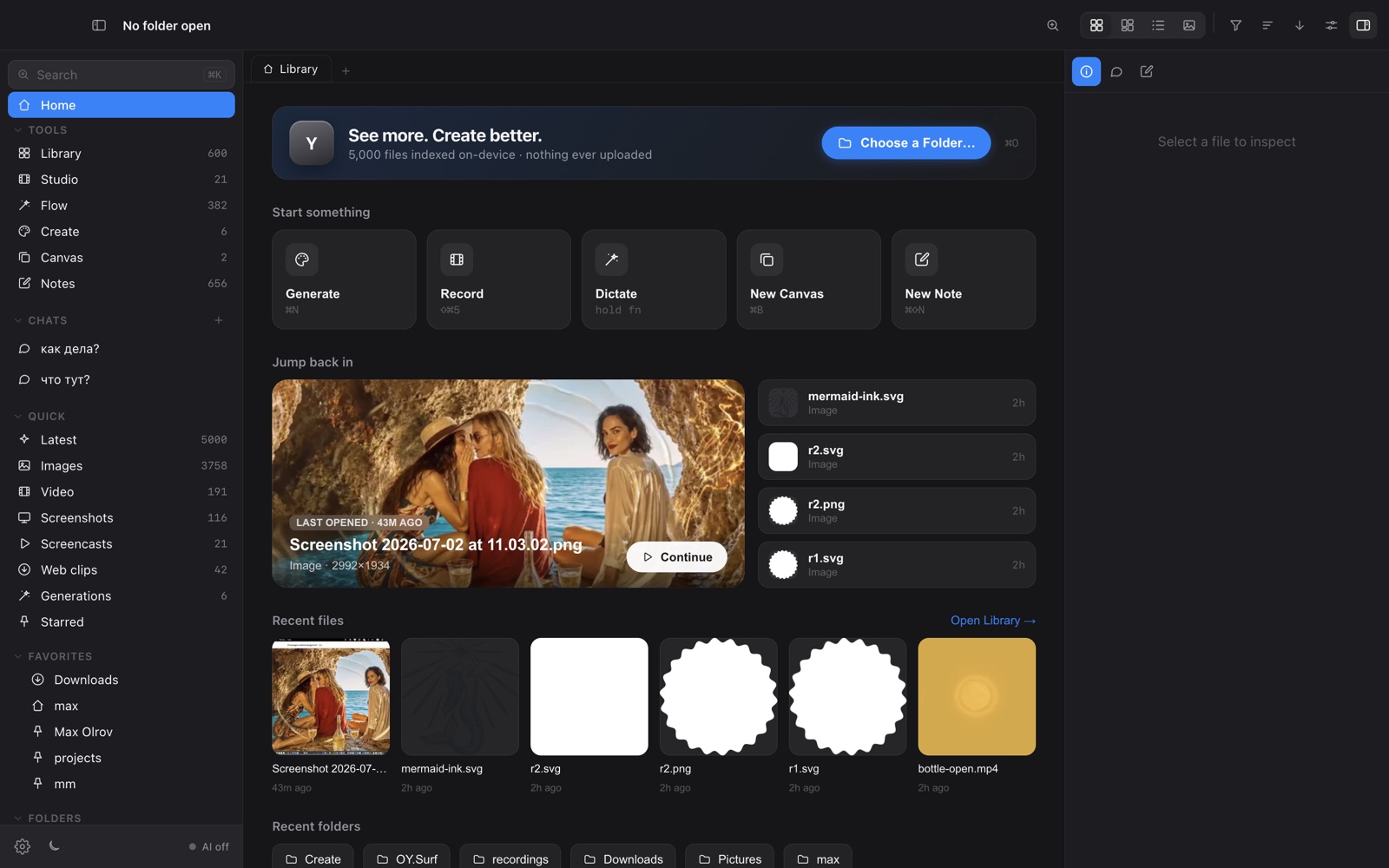
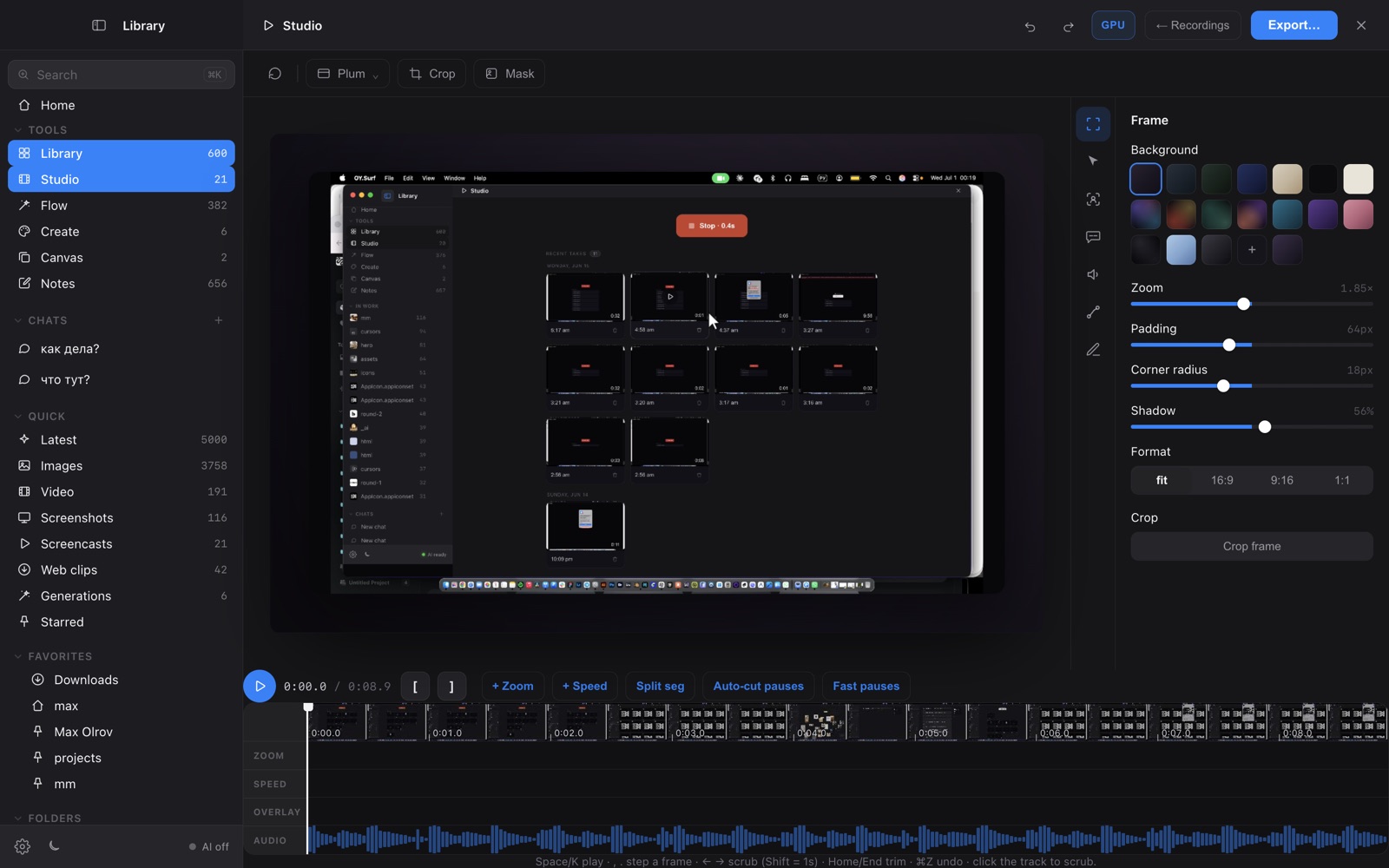
OY.Surf is a local-first visual workbench for macOS. It opens any folder you already have — Dropbox, Downloads, a render output directory — and indexes it in place, so nothing is uploaded. On top of your files it runs on-device AI: descriptions and semantic search, instruction-based image editing (Qwen-Image-Edit), generation (Z-Image Turbo), an Air-style canvas with smart-resize and skills, plus screen recording (Studio) and voice dictation (Flow). The default is free and offline; cloud is opt-in with your own key.
OY.Surf vs Granola, point by point
Voice / notes capture
Granola records meetings and summarizes them in the cloud. Flow does on-device dictation for quick voice notes into any field, and OY.Surf keeps Markdown notes against your files.
Where does it run?
OY.Surf transcribes and cleans on-device — audio never leaves your Mac. Granola processes in the cloud.
Meeting-specific features
Granola has calendar integration and meeting summaries; OY.Surf does not — it's a visual studio, not a meeting assistant.
The bigger picture
OY.Surf surrounds notes with a visual library, lenses, generation, editing and recording — all local and free.
When Granola is the better choice
Granola is clearly the better tool for meetings — joining calls, summarizing them, and pulling action items. OY.Surf doesn't do meeting capture.
Bottom line
Granola is cloud AI for meetings; OY.Surf is the local-first, private home for visual work, notes and dictation.
FAQ
- Is OY.Surf a Granola alternative?
- Only for private voice notes and Markdown notes — not for meeting capture, which Granola is built for.
- Does OY.Surf process audio in the cloud?
- No — Flow transcribes on-device, so audio stays on your Mac.
- Can it summarize meetings?
- No, OY.Surf is a visual workbench, not a meeting assistant.
- Is dictation free?
- Yes, Flow is included free in OY.Surf.
- Does it work offline?
- Yes, once the model is downloaded.