Surf Studio — screen recording
Record, edit on a multi-lane timeline, export MP4/GIF at pro speed.
Surf Studio records your screen, free and on-device. Open it from the sidebar.
Recording
- Toggle Camera and Microphone if you want them.
- Press Record screen and pick what to capture.
- Stop from the menu bar. The take appears under Recent takes.
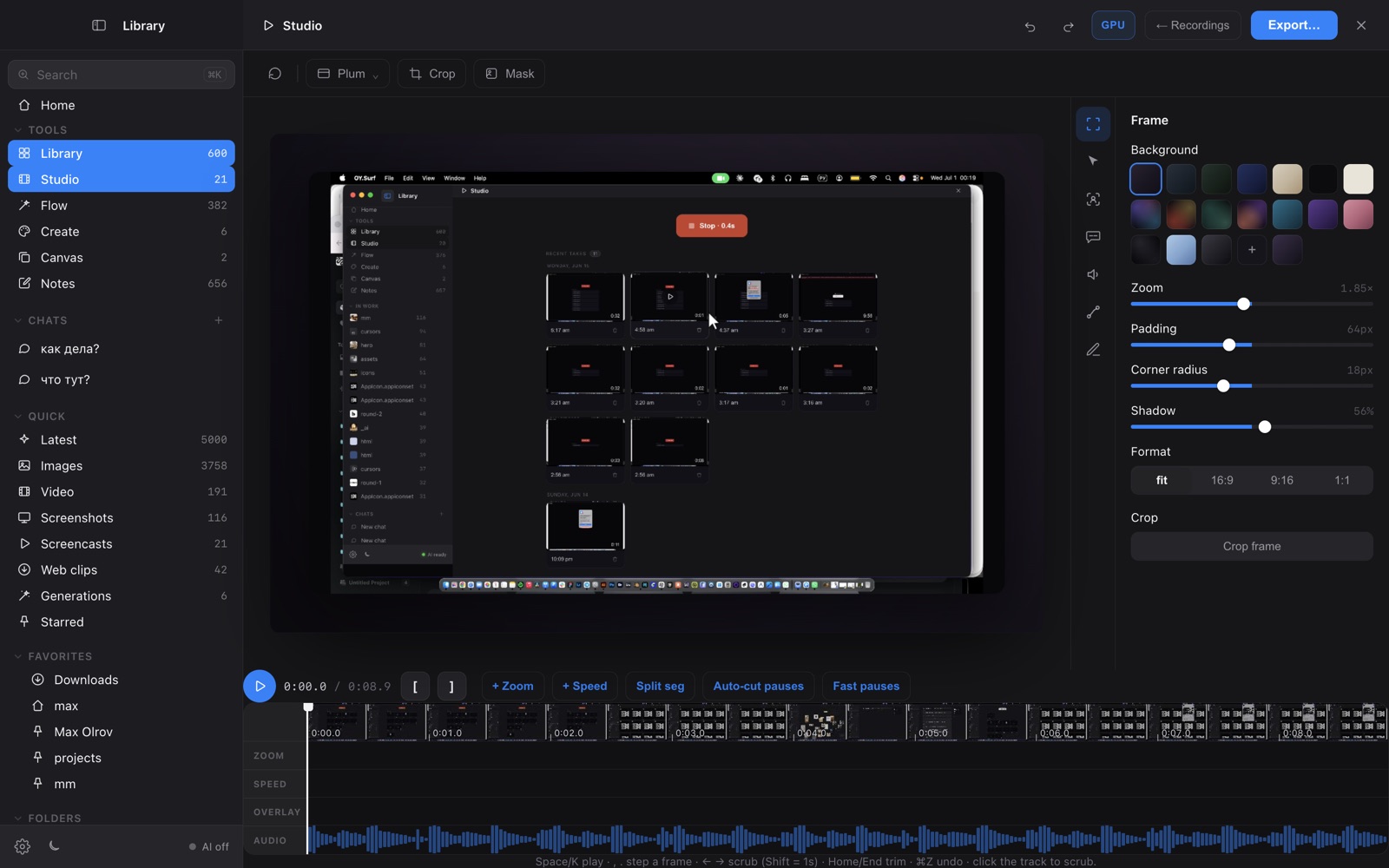
Editing timeline
Open a take: a multi-lane timeline with zoom and speed blocks you drag, resize and split, auto-cut / fast-forward for idle pauses, annotations, blurs and captions.
- Space play · ,/. frame-step
- I/O mark a range · X cut it out
- Z add zoom · S split at playhead · ⌫ delete the selected block
Export
MP4 export runs on the hardware pipeline — decode, GPU compositing and encode are streamed, so a clip typically exports much faster than its own duration. Sped-up sections keep their pitch. GIF uses the same fast pipeline. A running export shows progress and can be cancelled.
Permissions
macOS needs Screen Recording (and Microphone, if used) permission for OY.Surf — grant it in System Settings → Privacy & Security the first time.